Collection Web Management Update: Smarter Card Editing, Sorting, and Navigation (November 4, 2026)
We've been busy! 🚀 This update makes it easier to fix card details, keep your place while you browse, and stay in control of how your collection is sorted. Here's everything that's new.
✏️ Fix a Card's Identity with Global Catalog Search
Added a card that isn't quite right? You can now search the entire Ludex catalog and swap in the correct card. Open the card, click the edit icon, and use Search Card to find and select the right one. You can search one category or all categories at once.
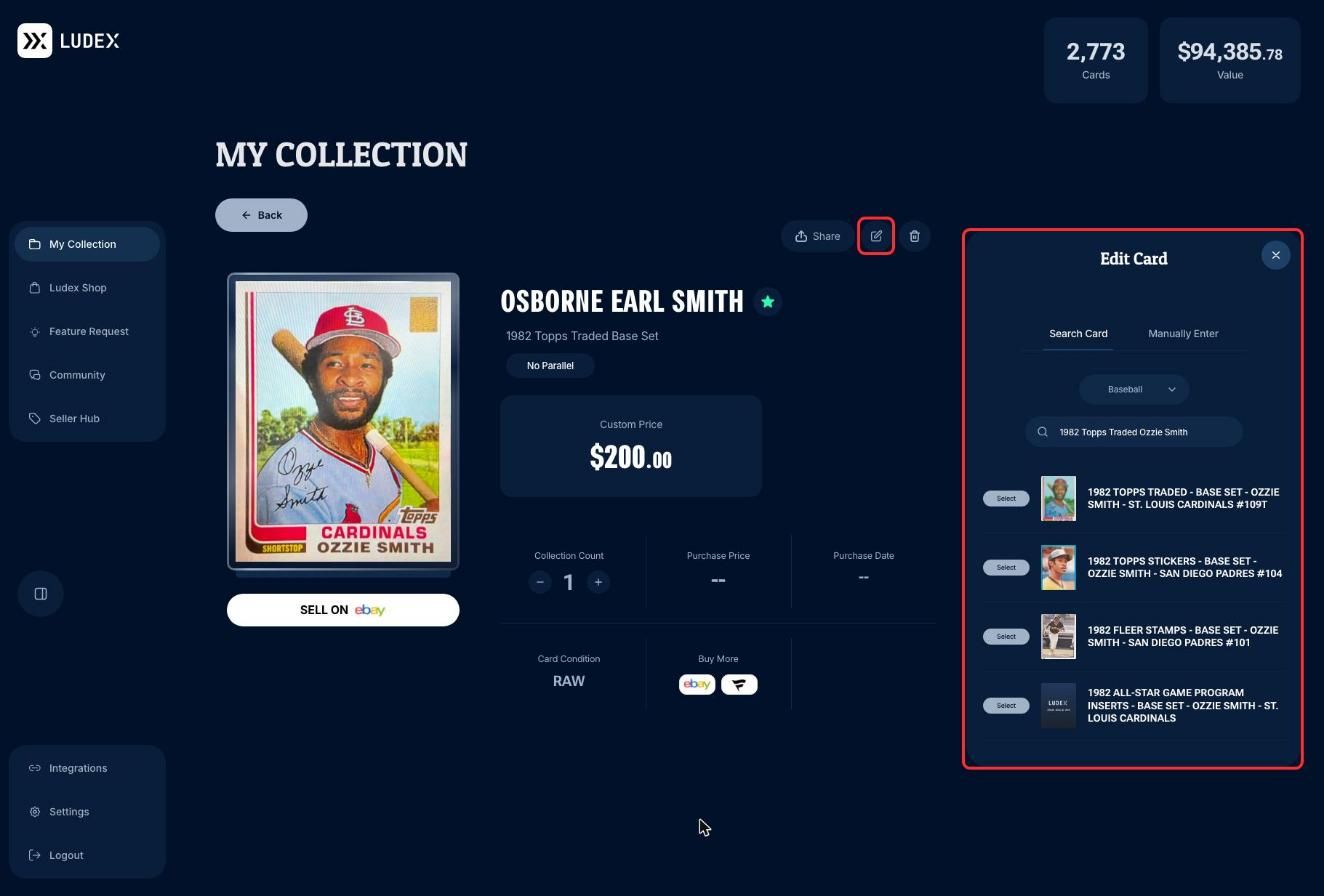
We also cleaned up imported PSA and CGC cards, so their series names no longer appear in all caps.
🃏 A Fresh Look for the Card Info Screen
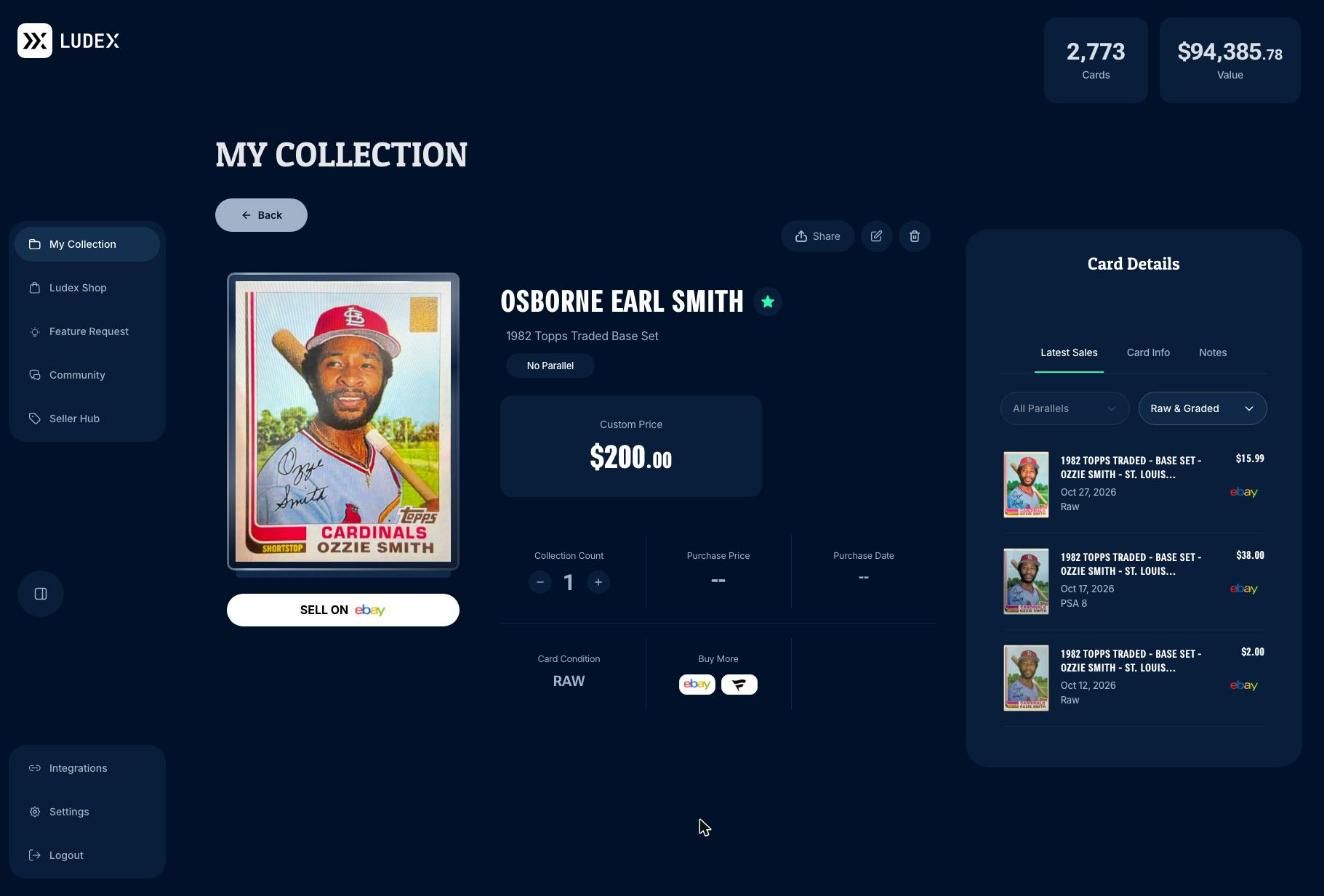
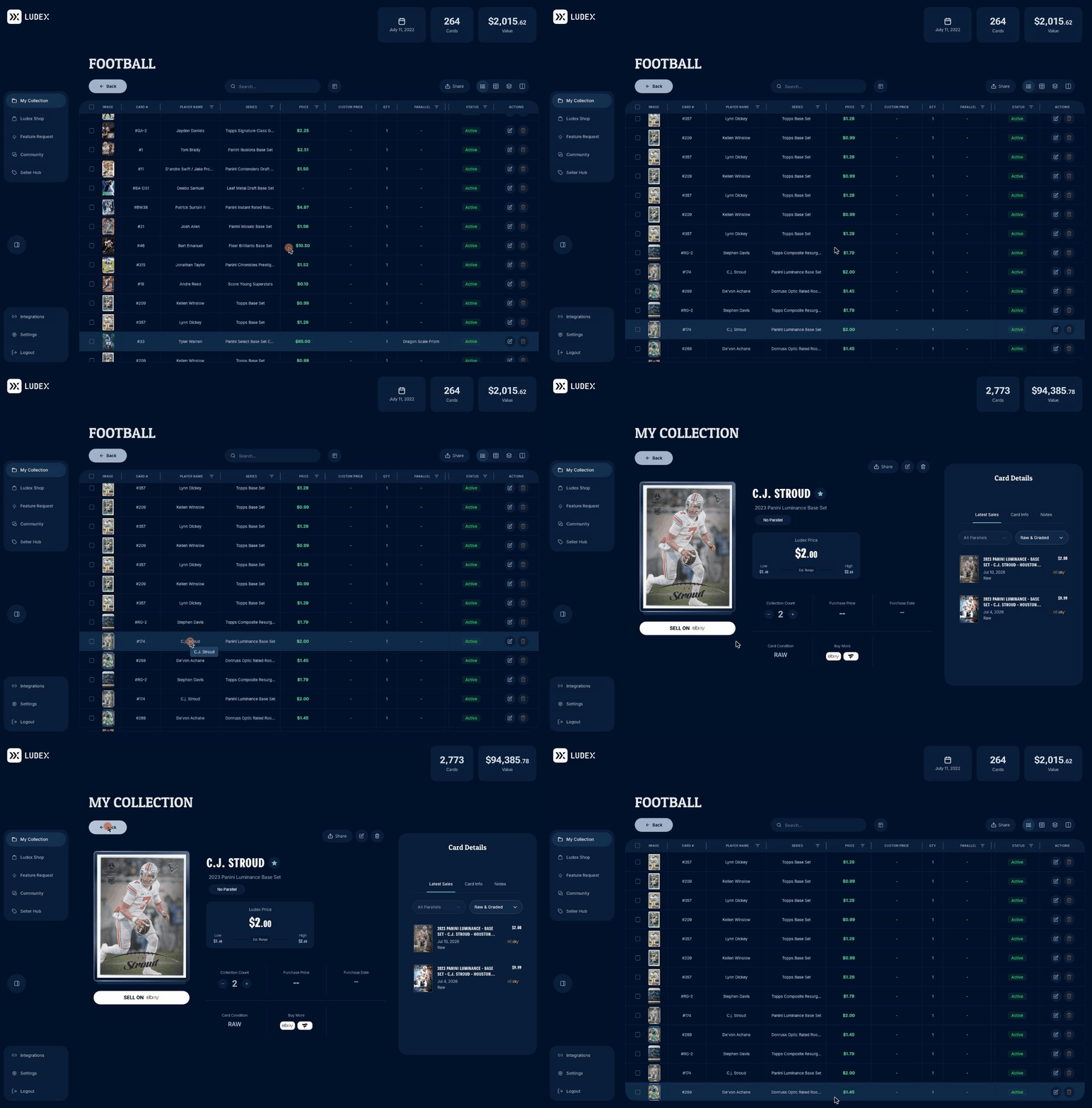
The Card Info screen got a cleaner, more consistent design. Your card image, price, collection count, and purchase details are front and center, with Latest Sales, Card Info, and Notes organized in tabs on the right.
📊 Sorting That Behaves
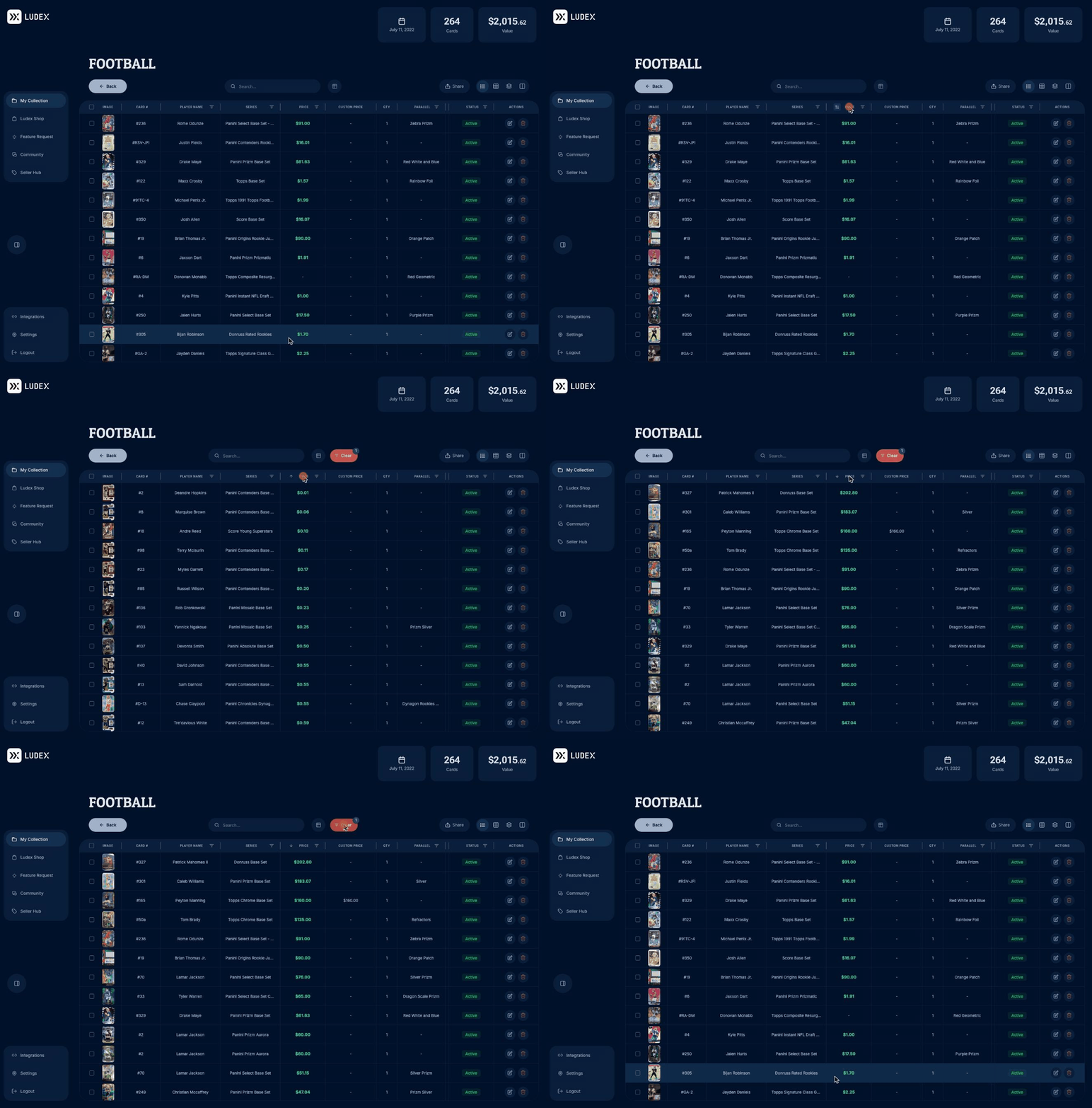
Sorting is fixed across Lists, Categories, and Batches in Seller Hub. Click any sortable column header to sort up or down.
New Clear button. As soon as you sort or filter, a Clear button appears with a count of what's applied. One click resets your view.
Locked columns. The Status and Actions columns now stay in place while you scroll sideways through your grid, so they're always within reach.
📍 Pick Up Right Where You Left Off
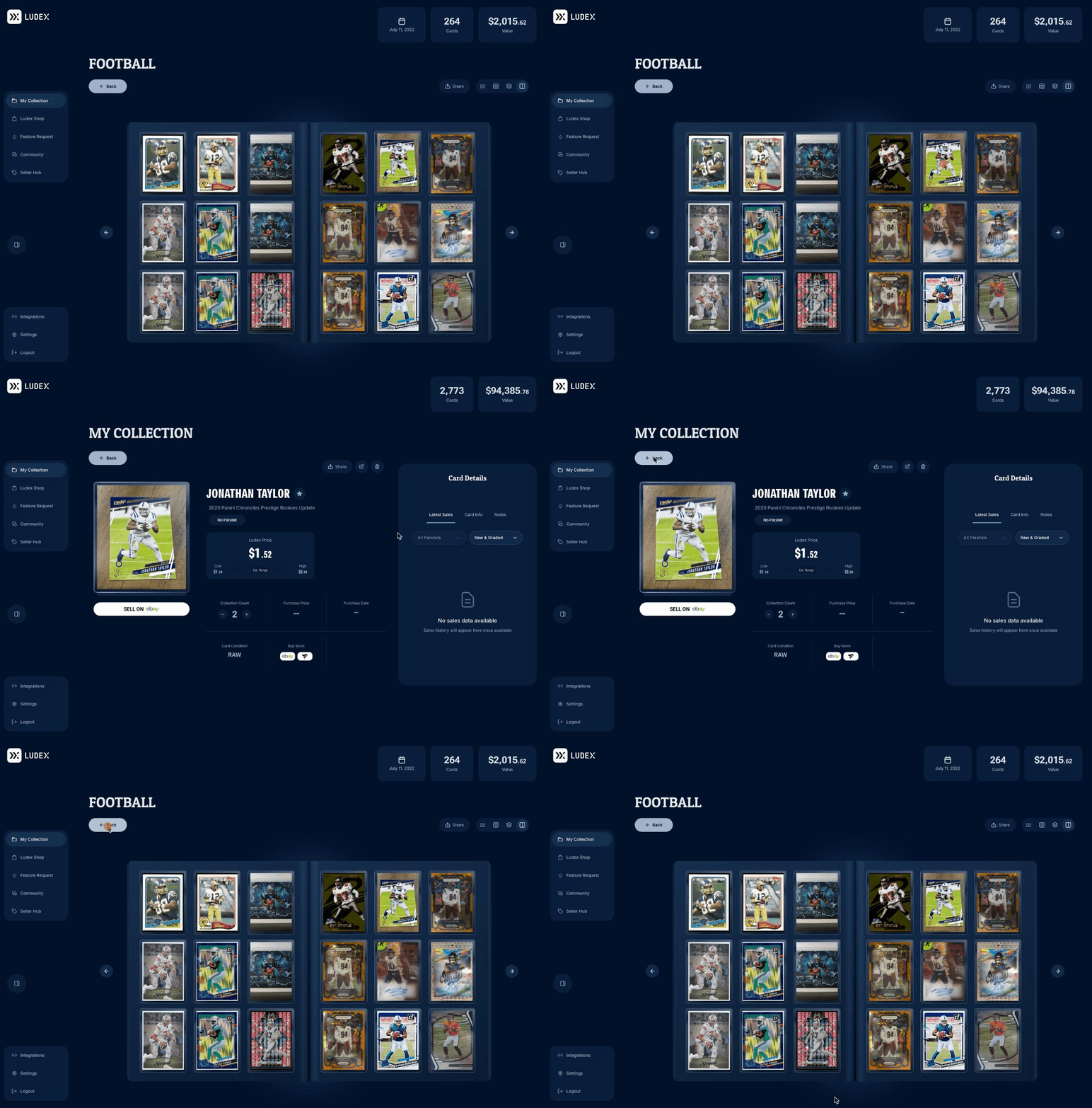
Remember Your Place. Open a card from My Collection, a List, or a Category, and when you click Back, you return to the same spot instead of the top.
Binder view, too. Flip through your binder, open a card, and you'll land back on the same page when you return.
🔒 Security Improvements
We've also rolled out additional security improvements behind the scenes to help keep your account and collection safe.
Thanks for all your feedback. It shapes every update we ship! Have an idea or found something that isn't working? Let us know on our feedback board.