How To List a Card on eBay From the Ludex App
Written By Ross Henke
Last updated 5 months ago
With Ludex, you can list any card in your collection directly to eBay without leaving the app. Ludex uses AI to generate a custom listing for you - all you need to do is review the details, set your price and shipping preferences, and publish.
Before You Begin
You must have an active Lite, Standard, or Pro Ludex membership to list cards on eBay.
Your eBay account must be connected to Ludex. If you have not connected your account yet, visit our How To Connect Your eBay Account to Ludex article.
If you have never listed an item on eBay before, you may need to complete your first listing directly on eBay before listing through Ludex. See our Selling on eBay with Ludex - FAQs article for more details.
How To Create a Listing
Open the Ludex app and navigate to the card in your collection that you want to sell.
Tap the card to open its detail page.
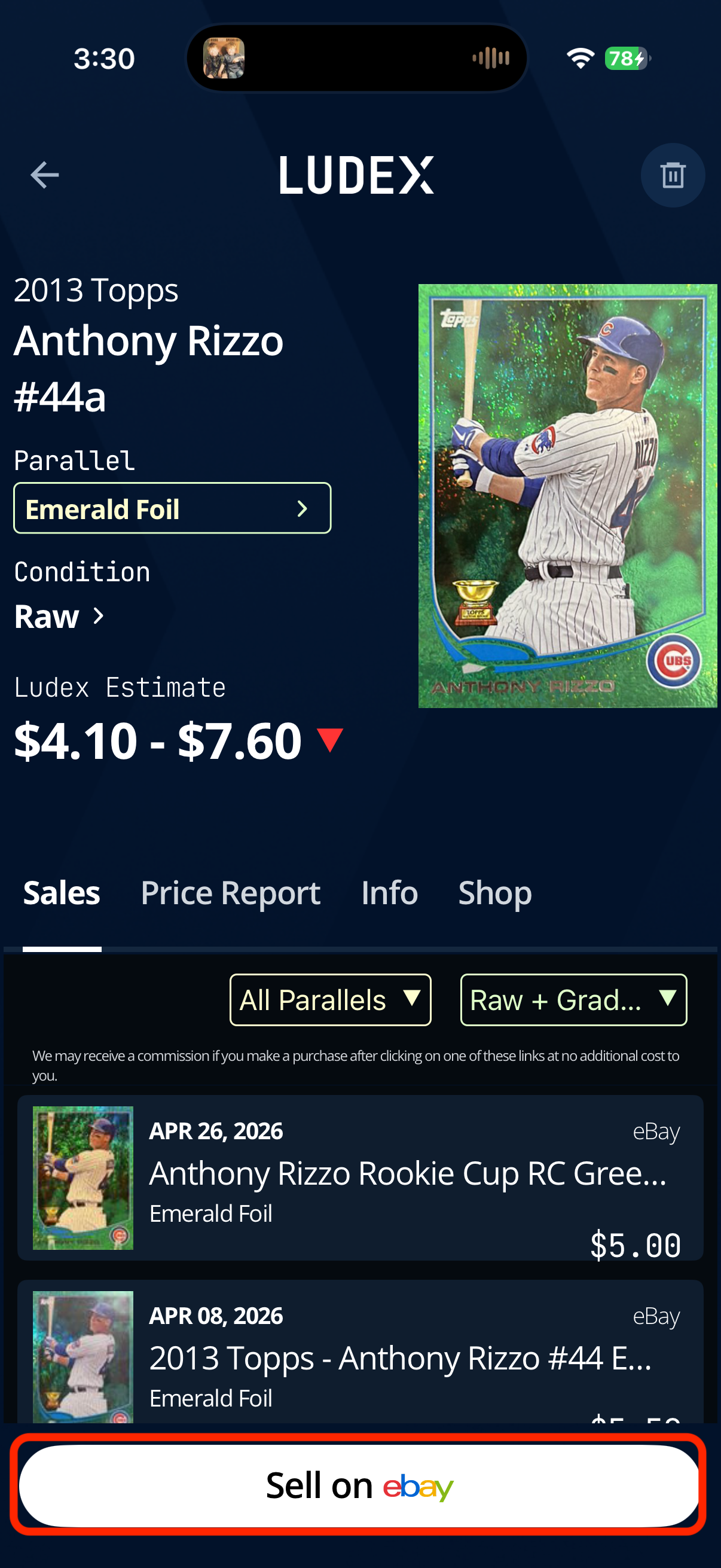
Tap Sell on eBay at the bottom of the screen.
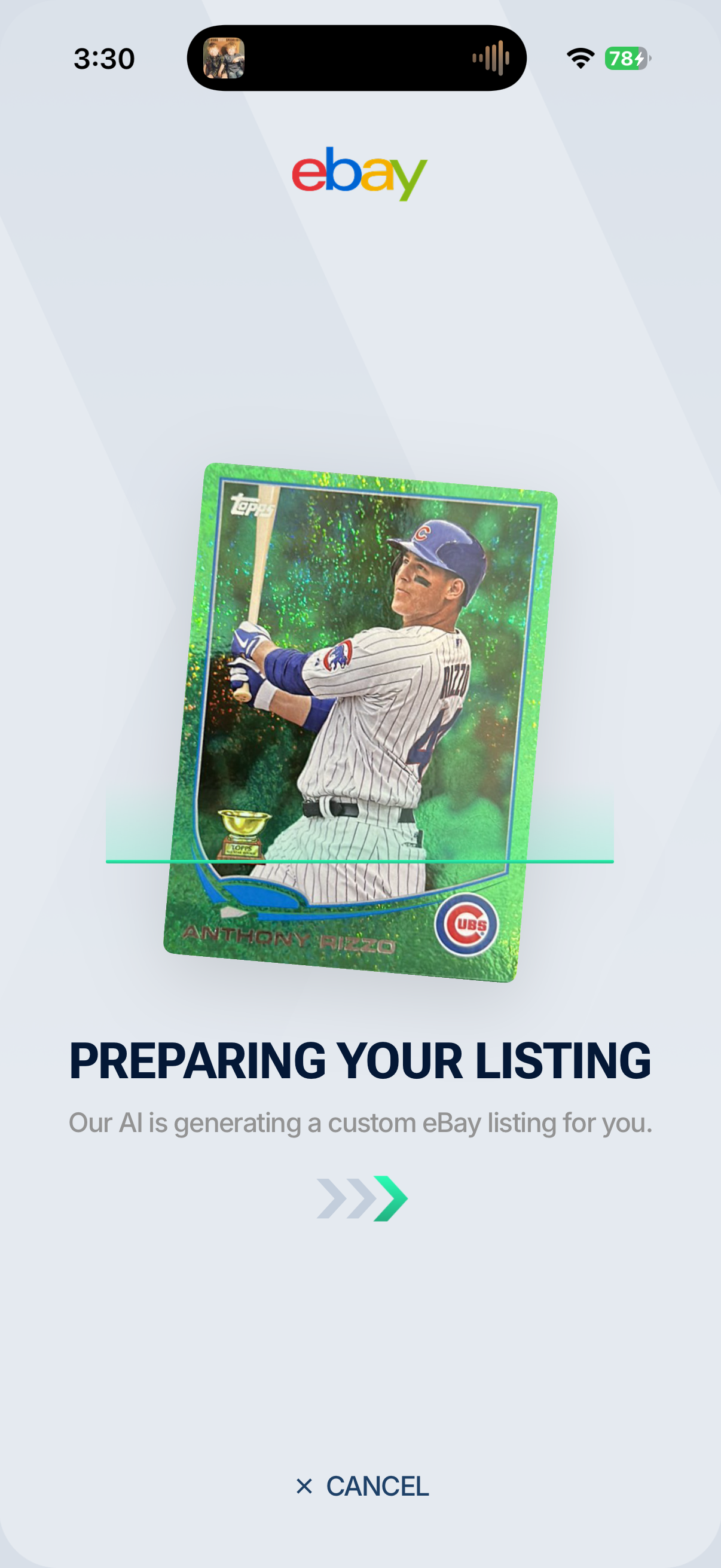
Ludex will display a Preparing Your Listing screen while our AI generates a custom eBay listing for your card. Wait for this to complete.
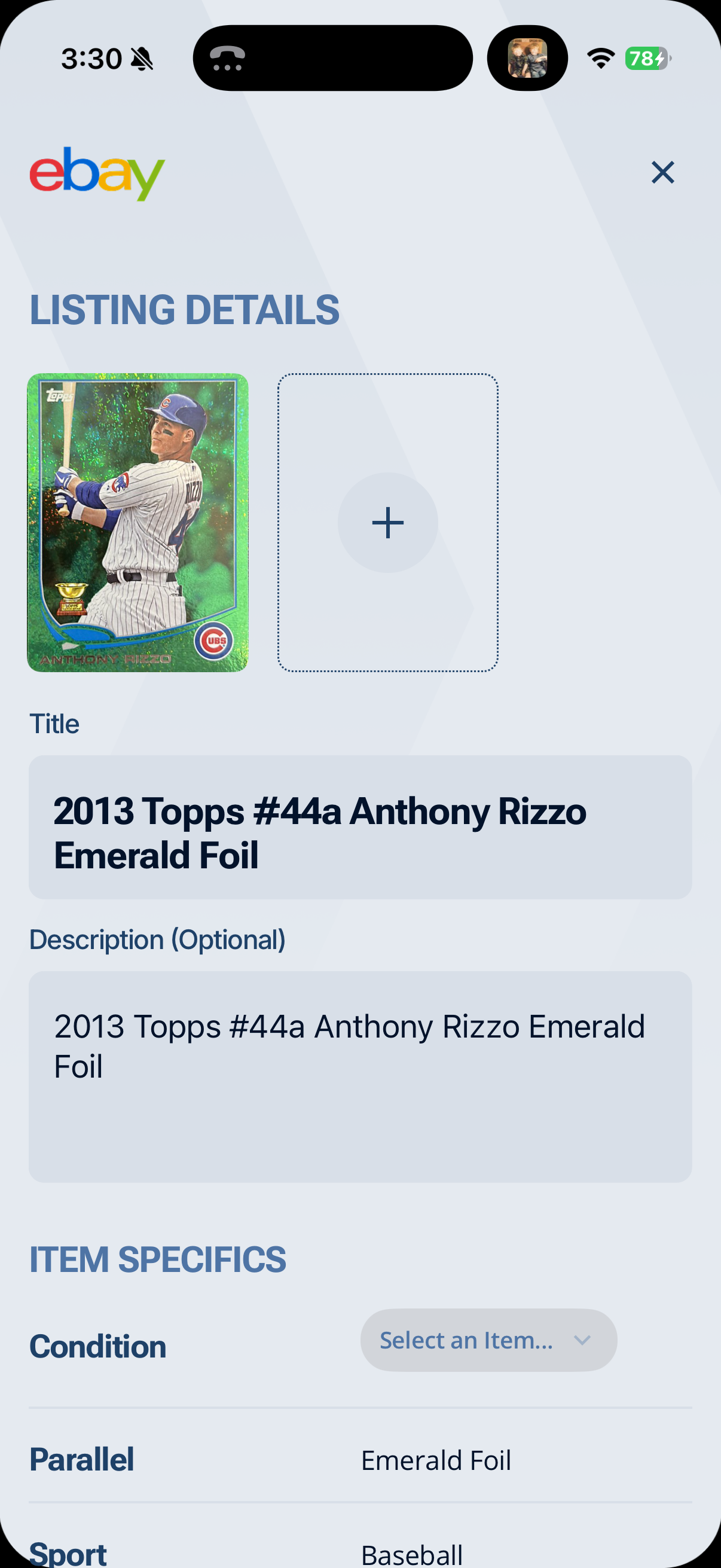
Once the listing is ready, you will be taken to the Listing Details page. Your card image and listing title are pre-filled automatically. You can add additional images by tapping the + button next to your card image.
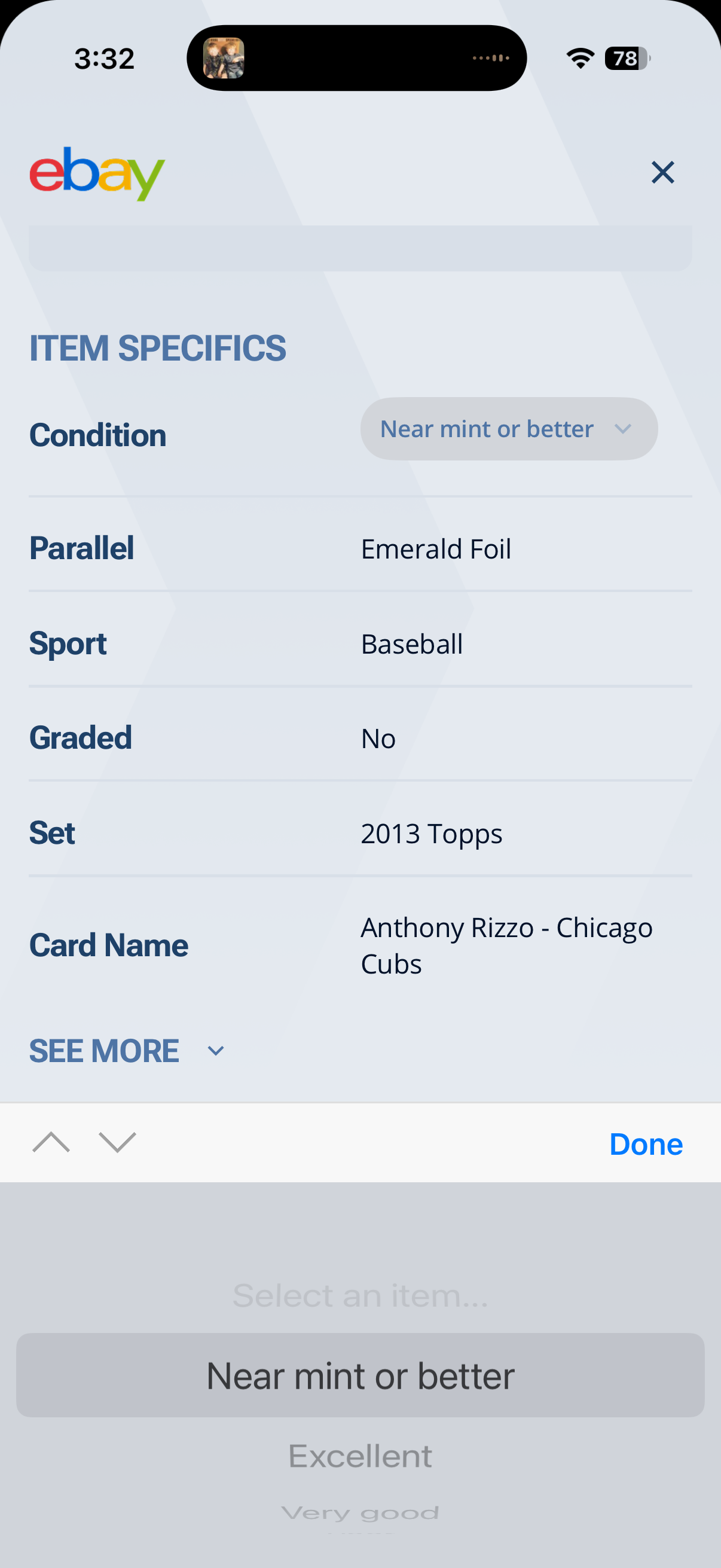
Item Specifics
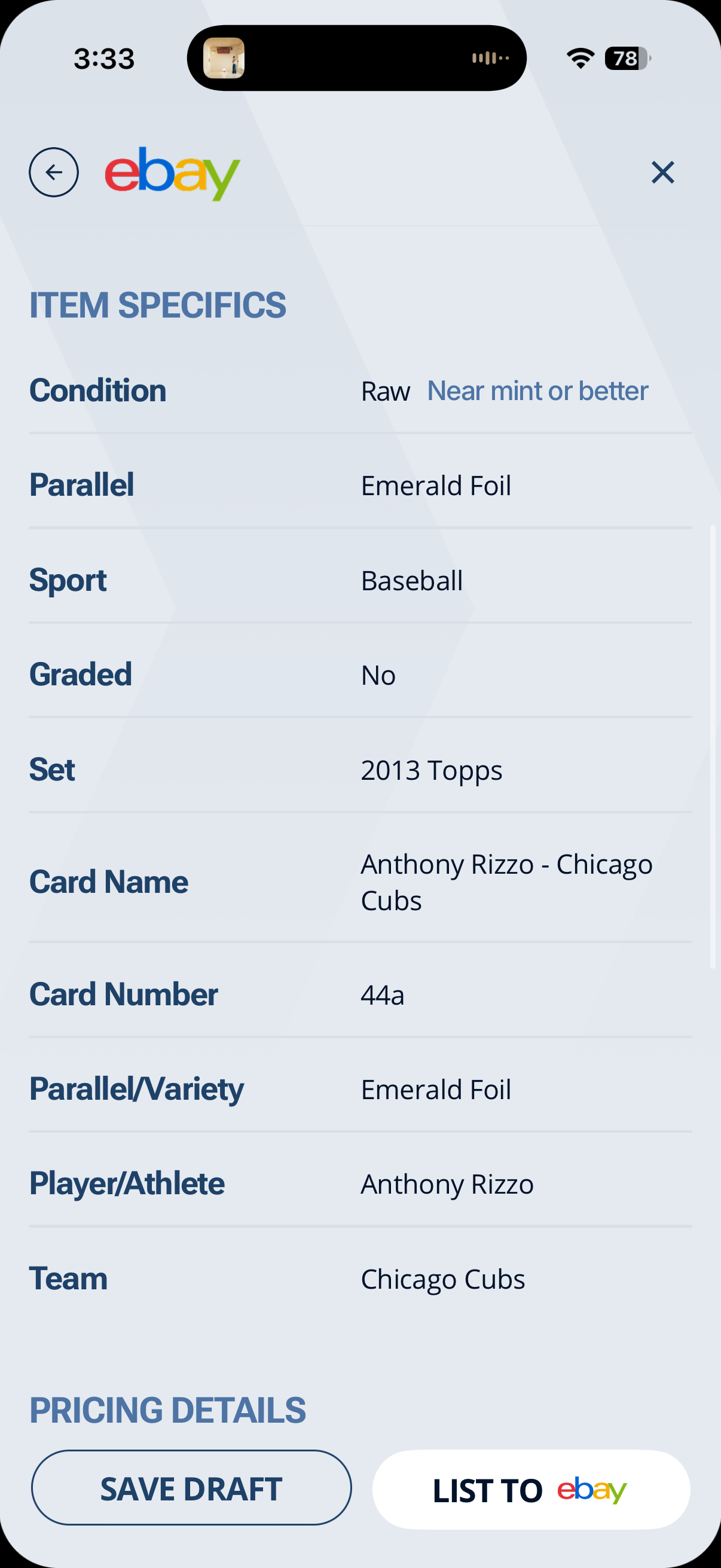
Scroll down to review the Item Specifics section. Ludex pre-fills this information based on your card data. Review and confirm the following fields:
Condition - tap to select the condition of your card. Options include Near Mint or Better, Excellent, Very Good, and others. This field is required before you can publish.
Parallel - pre-filled from your collection data. Confirm this is correct.
Sport, Set, Card Name, Card Number, Player/Athlete, Team - all pre-filled automatically from your card data.
Tap See More to expand and review all available item specifics.
Pricing
Scroll down to the Pricing section and choose your listing format:
Buy It Now - set a fixed price for your card. Buyers can purchase immediately at your listed price.
Auction - set a starting bid price and let buyers bid. The highest bidder at the end of the auction wins.
Auction + Buy It Now - run an auction while also allowing buyers to purchase immediately at your Buy It Now price.
Enter your Item Price (USD) and toggle Allow Offers on or off depending on whether you want to accept offers from buyers.
Shipping
Set your shipping preferences in the Shipping section:
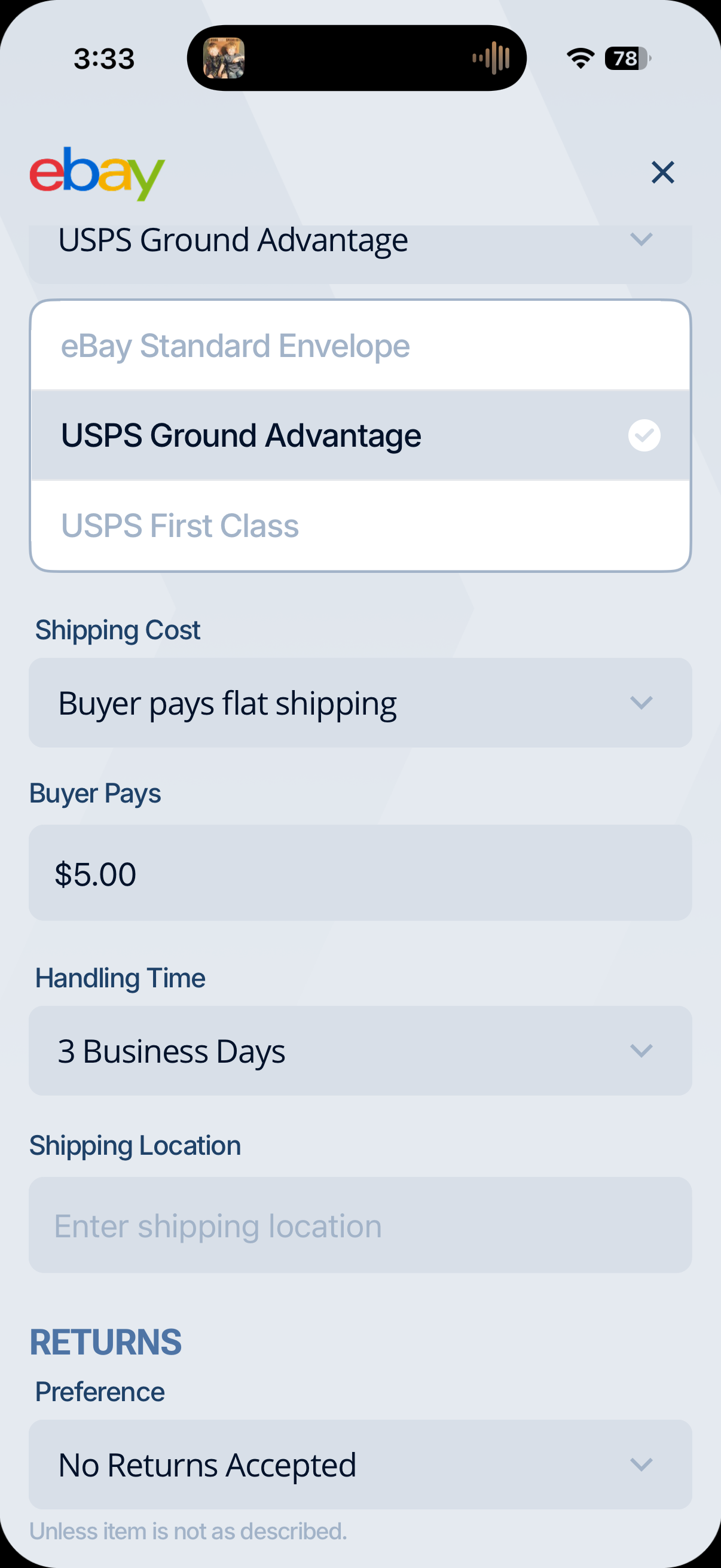
Service - select your preferred shipping carrier and service. Options include USPS Ground Advantage, USPS First Class, and eBay Standard Envelope.
Shipping Cost - choose Buyer pays flat shipping to charge the buyer a set amount, or Free for buyer, you pay shipping to offer free shipping.
Handling Time - select how quickly you will ship after a sale. Options range from Same Business Day to 3 Business Days.
Shipping Location - enter your zip code as your shipping location.
Returns
In the Returns section, set your return preference. The default is No Returns Accepted (unless item is not as described). This aligns with standard eBay seller practices for trading cards.
Review and Publish
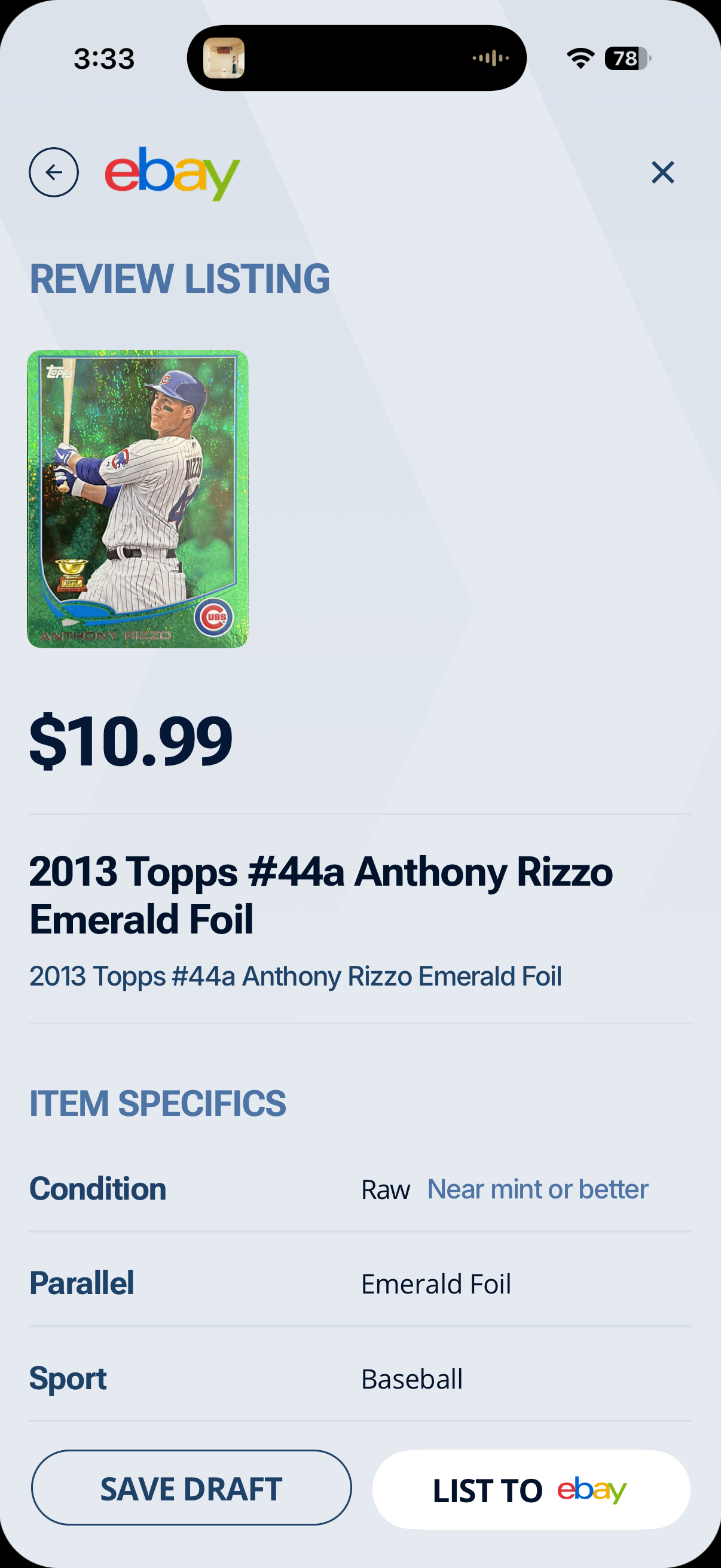
Once all details are complete, tap Review Listing to see a full summary of your listing before it goes live.
Review all details carefully. When you are satisfied, tap List to eBay to publish your listing immediately.
To save your listing and return to it later, tap Save Draft. Your draft will be saved to that card's detail page in your collection.
Best Practices
Check the Ludex Estimate before pricing. Use the Ludex Estimate on your card's detail page as a pricing reference before setting your Buy It Now or starting bid price.
Select the correct condition. Accurately describing your card's condition helps avoid disputes and returns.
Add extra images where possible. Additional photos of the front, back, and any notable features help buyers feel confident in their purchase.
Use USPS Ground Advantage for most cards. It offers reliable tracking at a competitive price point for trading cards.
Consider eBay Standard Envelope for low-value cards. This is a cost-effective option for cards under a certain value threshold - check eBay's current eligibility requirements before using this service.
Set a realistic handling time. Buyers appreciate fast shipping - if possible, aim for 1 - 2 business days.
Related Articles
Need Help?
If you have any questions or run into any issues, please contact our support team at support@ludex.com and we will be happy to assist.
Was this helpful?
Still need help? Ask the team