Empty collection “Add Cards” button shows “Coming soon” instead of available web import options
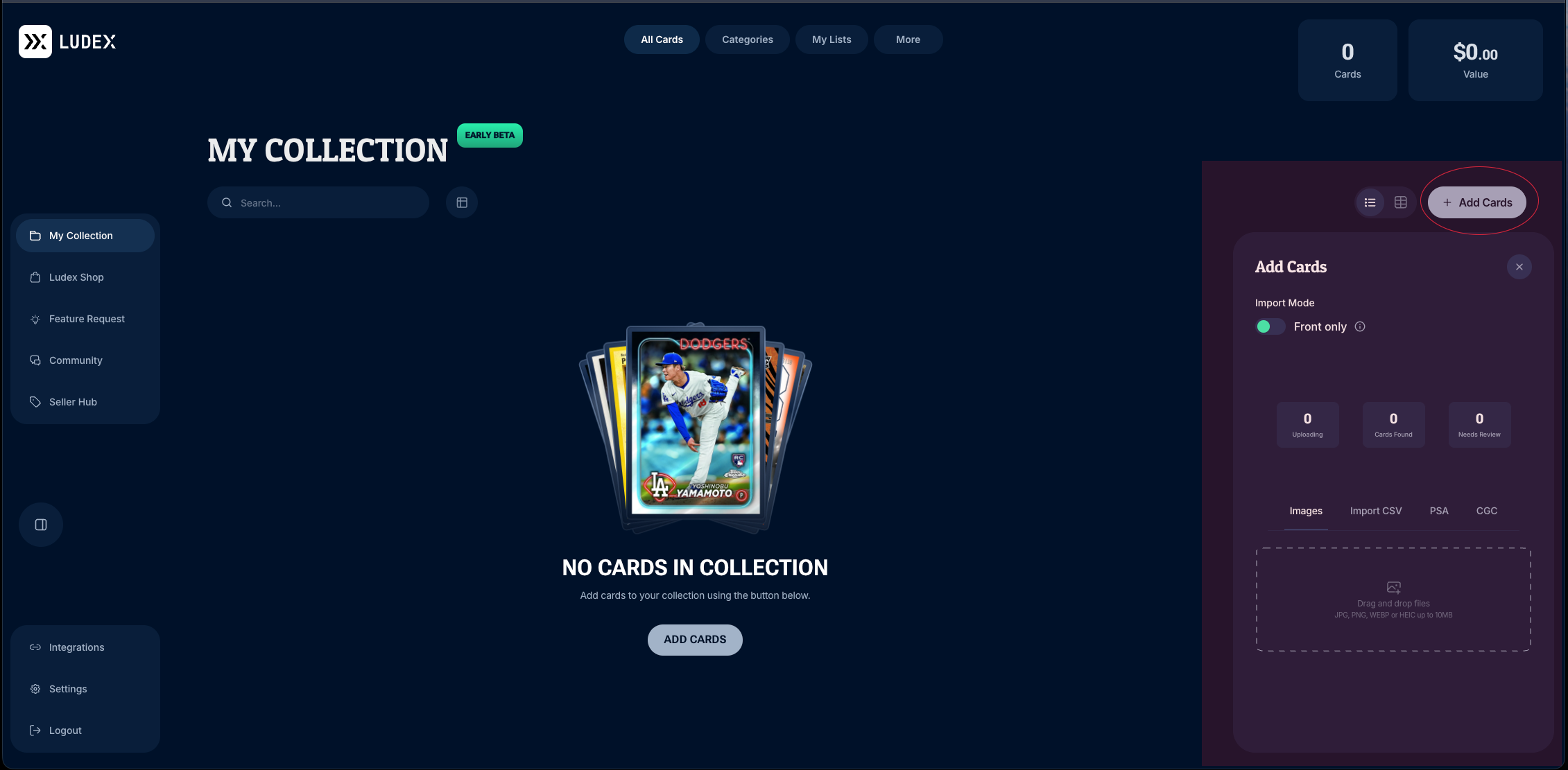
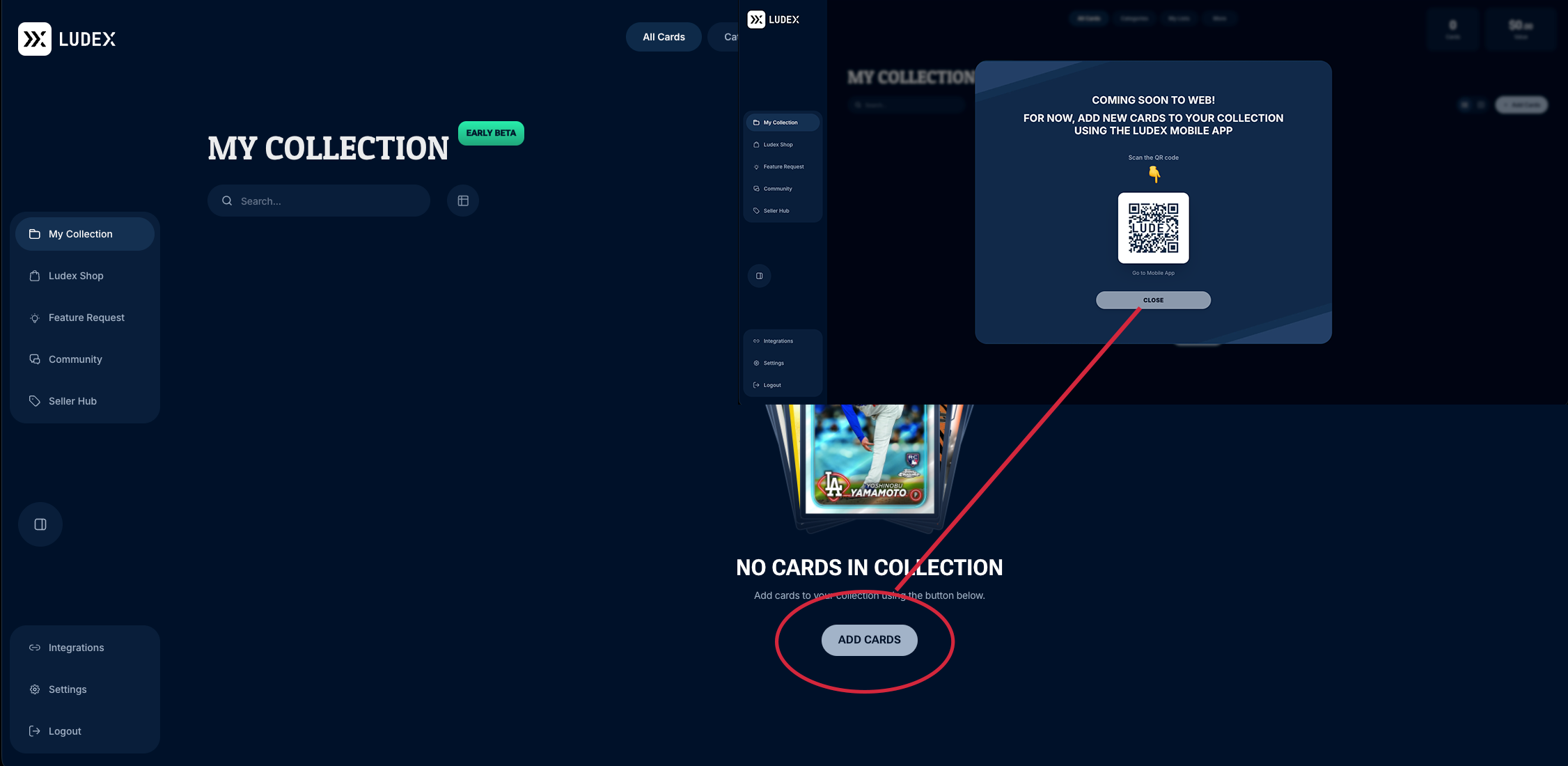
In a new, empty collection, the two Add Cards buttons open different windows. The button beneath “No Cards in Collection” directs users to the Ludex mobile app, while the upper-right button opens the web import panel. This incorrectly indicates that adding cards on the web is unavailable.
Expected behavior
Both Add Cards buttons should open the same web import panel, with the available Images, Import CSV, PSA, and CGC options.
Actual behavior
The button beneath “No Cards in Collection” opens a “Coming soon to web!” message directing users to the Ludex mobile app.
The upper-right Add Cards button opens the web import panel, including image drag-and-drop and import options.
Customer details
Name: Tristan Balint
Platform: Ludex Collections web (Early Beta)
Browser: Google Chrome
Collection state: New collection with zero cards
Reproduction / Investigation Notes
Sign in to Ludex Collections in Chrome using an account with a new, empty collection.
Open My Collection and confirm “No Cards in Collection” is displayed.
Click Add Cards beneath that message.
Observe the “Coming soon to web!” message and mobile-app instructions.
Close the message.
Click Add Cards in the upper-right corner.
Observe that the web import panel opens.
The attached screenshots document both outcomes.
- Platform
- Collections Web
No comments yet
Be the first to share your thoughts.