Overview of Ludex Collection Web Management
Written By Ross Henke
Last updated 5 months ago
Collection Web Management is currently in Beta. Features and availability may change as we continue to improve the experience.
This article provides an overview of Ludex Collection Web Management: what it is, how it relates to the Ludex mobile app, and what you can do on the web platform today.
What Is Ludex Collection Web Management?
Ludex Collection Web Management is a desktop companion to the Ludex mobile app, available at collections.ludex.com. It gives you a larger-screen view of your Ludex card collection and provides tools for organizing, valuing, and selling your cards directly from a web browser.
Your collection syncs automatically between the Ludex mobile app and the Ludex Collection Web Management. Any cards you scan and save in the app will appear on the web platform.
How to Access Ludex Collection Web Management
Open a web browser on your computer or mobile device.
Go to collections.ludex.com.
Sign in using your Ludex account credentials.
Your collection will load automatically on the All Cards tab.
Ludex Collection Web Management requires a Standard or Pro subscription. If you are on the Free or Lite plan, upgrade your Ludex subscription to gain access.
The Ludex Collection Dashboard
When you sign in, you will land on the main Ludex collection dashboard. The dashboard includes the following:
Header stats bar - displays the total number of cards in your Ludex collection and your total estimated collection value based on Ludex Estimates.
Tab navigation - switch between All Cards, Lists, Decks, and Binders.
Toolbar - access search, column management, sort, and view toggles.
Card table - view and manage your cards in List View or Grid View.

What Is Available on Web Today
The following features are live and available in Ludex Collection Web Management today:
Viewing your full Ludex card collection in List View or Grid View
Searching your collection by player name or card name
Filtering by Player Name, Series, or Price
Sorting by column (Price, Date Added, Year, and more)
Customizing and reordering your visible columns
Viewing card details including Ludex Estimate, eBay sold data, and card metadata
Editing a card's Parallel, Purchase Price, and Purchase Date
Adding Private Notes to individual cards
Updating your collection count (quantity) per card
Deleting cards from your Ludex collection
Listing cards for sale on eBay and Walmart (if connected)
Managing your Ludex profile and account settings
What Is Coming Soon to Web
The following features are currently only available in the Ludex mobile app and are not yet available on the web platform:
Add Cards - adding new cards to your Ludex collection must be done by scanning in the Ludex mobile app
Lists - creating and managing card lists
Decks - creating and managing card decks
Binders - creating and managing binders
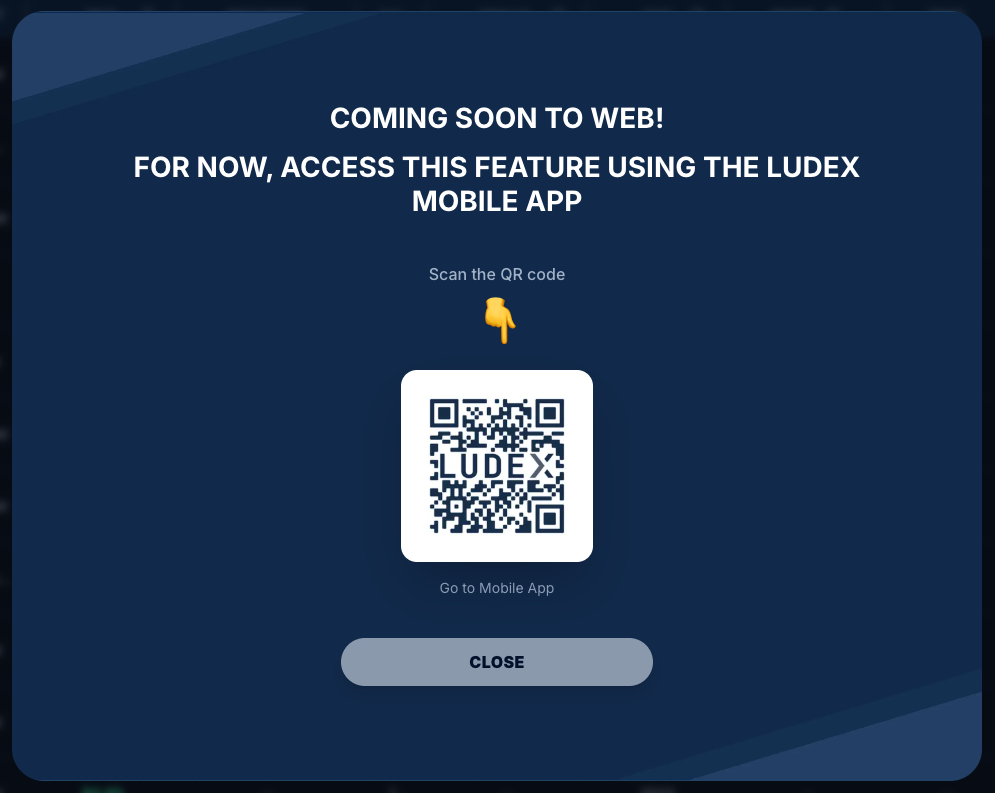
When you click on one of these tabs or the + Add Cards button, a Coming Soon to Web message will appear with a QR code you can scan to access these features in the Ludex mobile app.
The Ludex Sidebar
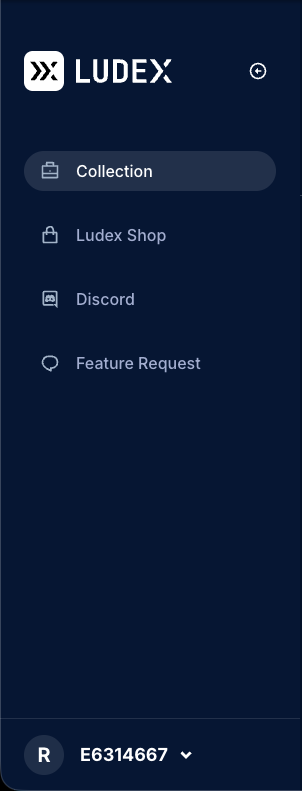
The sidebar on the left side of the screen provides quick access to the following:
Collection - returns to your main Ludex collection dashboard
Ludex Shop - opens shop.ludex.com in a new tab
Discord - links to the Ludex Discord community
Feature Request - submit a feature idea for Ludex via Featurebase
User avatar and Account ID - click to open the user menu (Integrations, Settings, Log Out)
Important Notes
Ludex Collection Web Management is in Early Beta. Some features may change or become unavailable as development continues.
Cards can only be added to your Ludex collection by scanning them in the Ludex mobile app. Web-based card entry is not yet available.
Your Ludex collection syncs automatically. There is no need to manually sync between the app and the web platform.
A Standard or Pro Ludex subscription is required to access Collection Web Management.
Related Articles
Understanding the Ludex Collection Dashboard (Cards Count, Total Value, and the Header)
How To Access Ludex Collection Web Management on Web vs. Mobile: Feature Comparison
Need Help?
If you have any questions or run into any issues, please contact our support team at support@ludex.com and we will be happy to assist.
Was this helpful?
Still need help? Ask the team