How to Manage your Ludex Subscription
Written By Ross Henke
Last updated 5 months ago
You can upgrade your Ludex subscription directly from within the app or through Apple or Google Play depending on where you originally signed up. Follow the steps below.
How To Upgrade Your Subscription In the App
Open the Ludex app
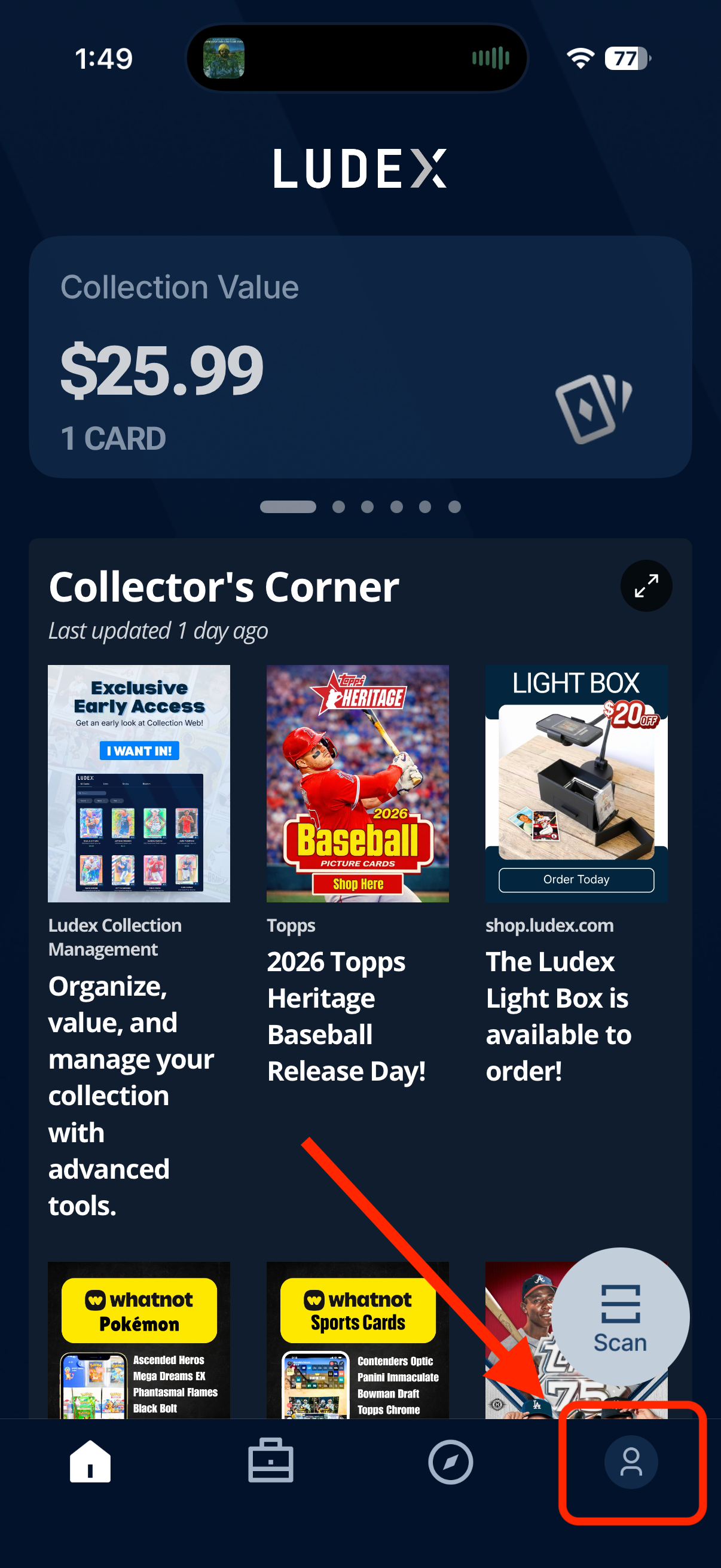
Tap the Profile icon in the bottom right corner of your screen
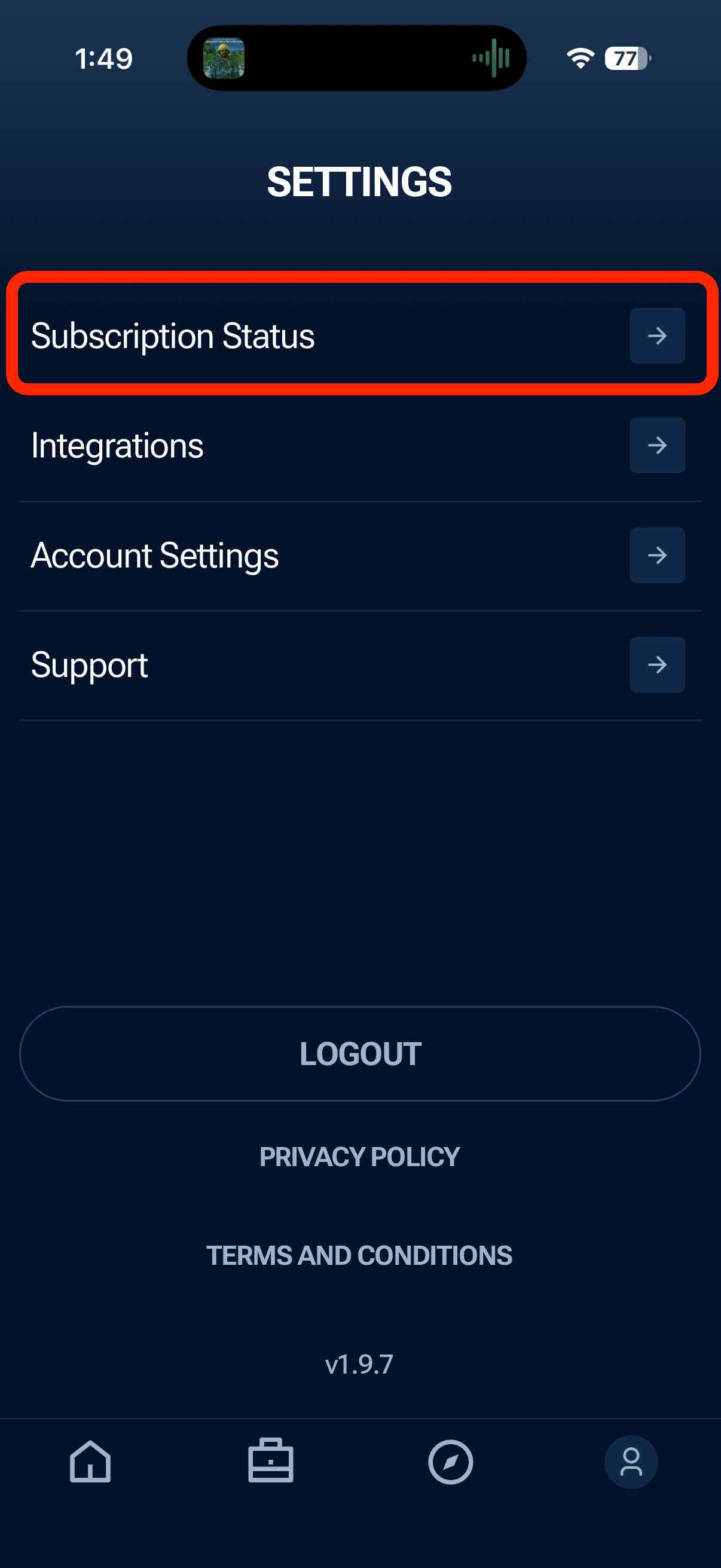
Tap Subscription Status
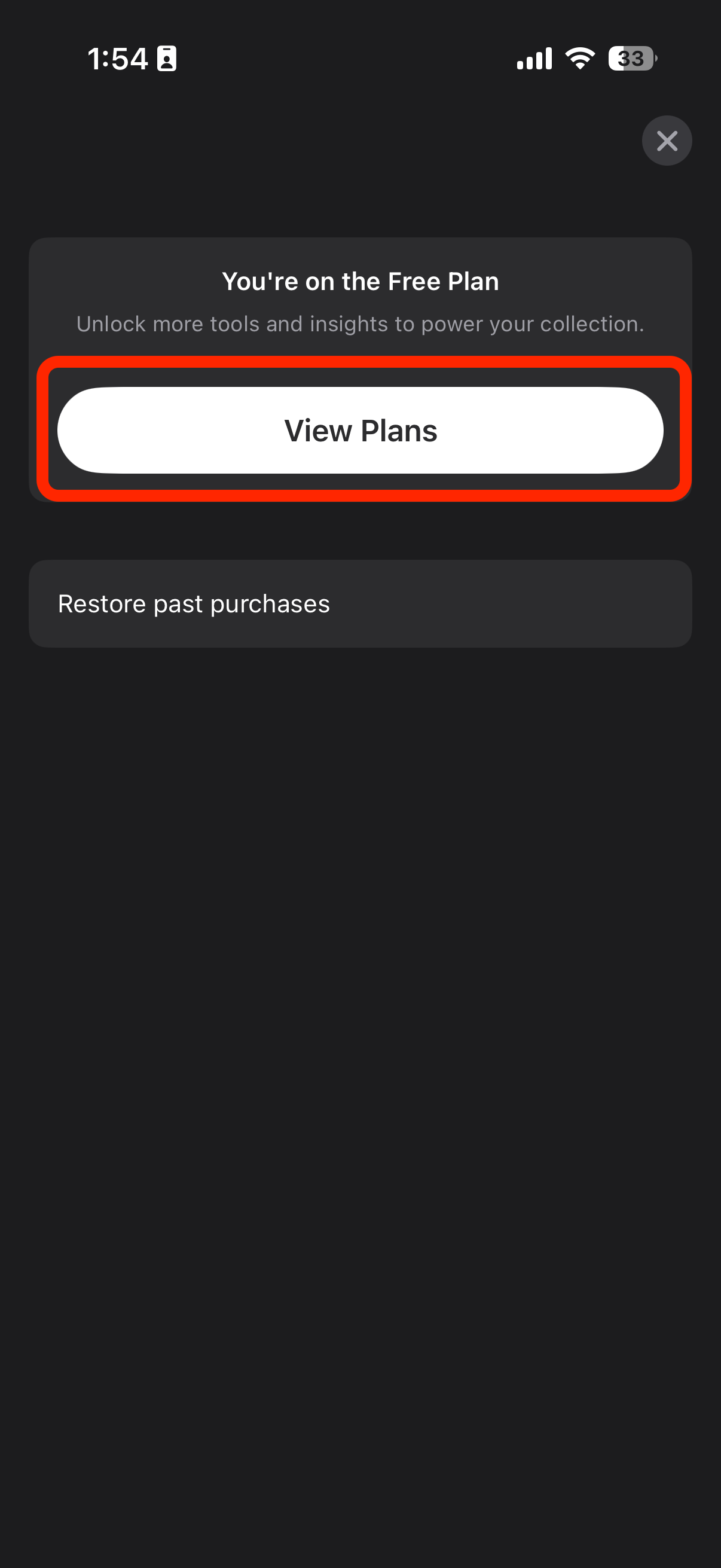
Tap View Plans
Select the plan you would like - Lite, Standard, or Pro (Learn More about Ludex Membership)
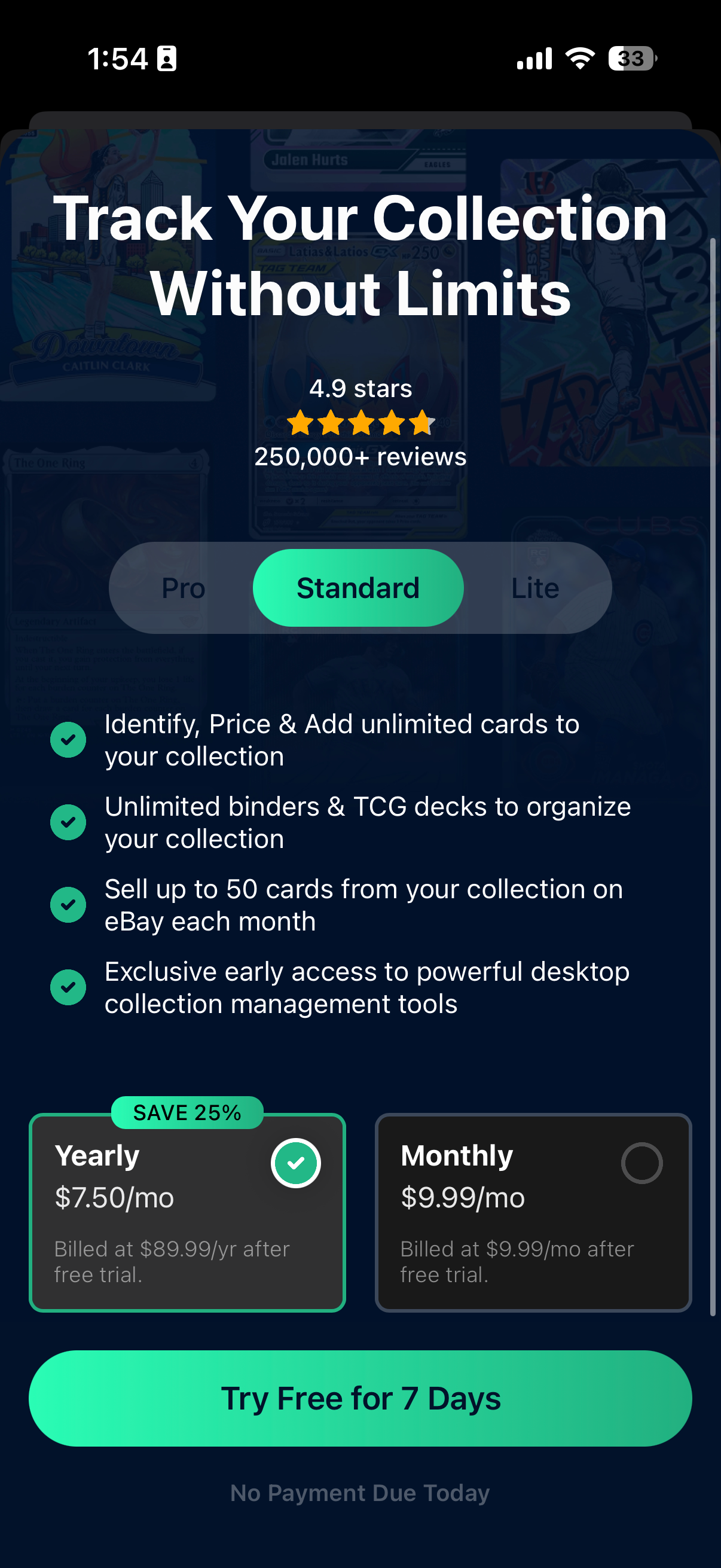
Choose between a Monthly or Yearly billing option
Tap Try Free for 7 Days or Get Started to complete your upgrade
How To Upgrade via Apple App Store or Google Play
You can also manage your Ludex subscription directly through Apple or Google depending on where you originally subscribed.
Apple App Store: Visit Apple's subscription management page to view or upgrade your plan.
Google Play: Visit Google Play's subscription management page to view or upgrade your plan.
Important Notes
Lite and Standard plans include a 7-day free trial - no payment is due today.
You can cancel your subscription at any time. Your access will remain active until the end of your current billing period.
Yearly plans offer savings of up to 25% compared to monthly billing.
If you previously had a paid subscription and need to restore it, tap Restore Past Purchases on the subscription screen.
Need Help?
If you have questions about your subscription or are having trouble upgrading, please contact our support team at support@ludex.com and we will be happy to assist.
Was this helpful?
Still need help? Ask the team