How to Create a Ludex Account
Written By Ross Henke
Last updated 5 months ago
Getting started with Ludex is quick and easy. Follow the steps below to create your account and start building your collection.
Step 1 - Download the Ludex App
Download the Ludex app from the Apple App Store or Google Play Store and open it on your device.
Step 2 - Tap Sign Up
On the welcome screen, tap the Sign Up button to begin creating your account.
Step 3 - Choose How to Sign Up
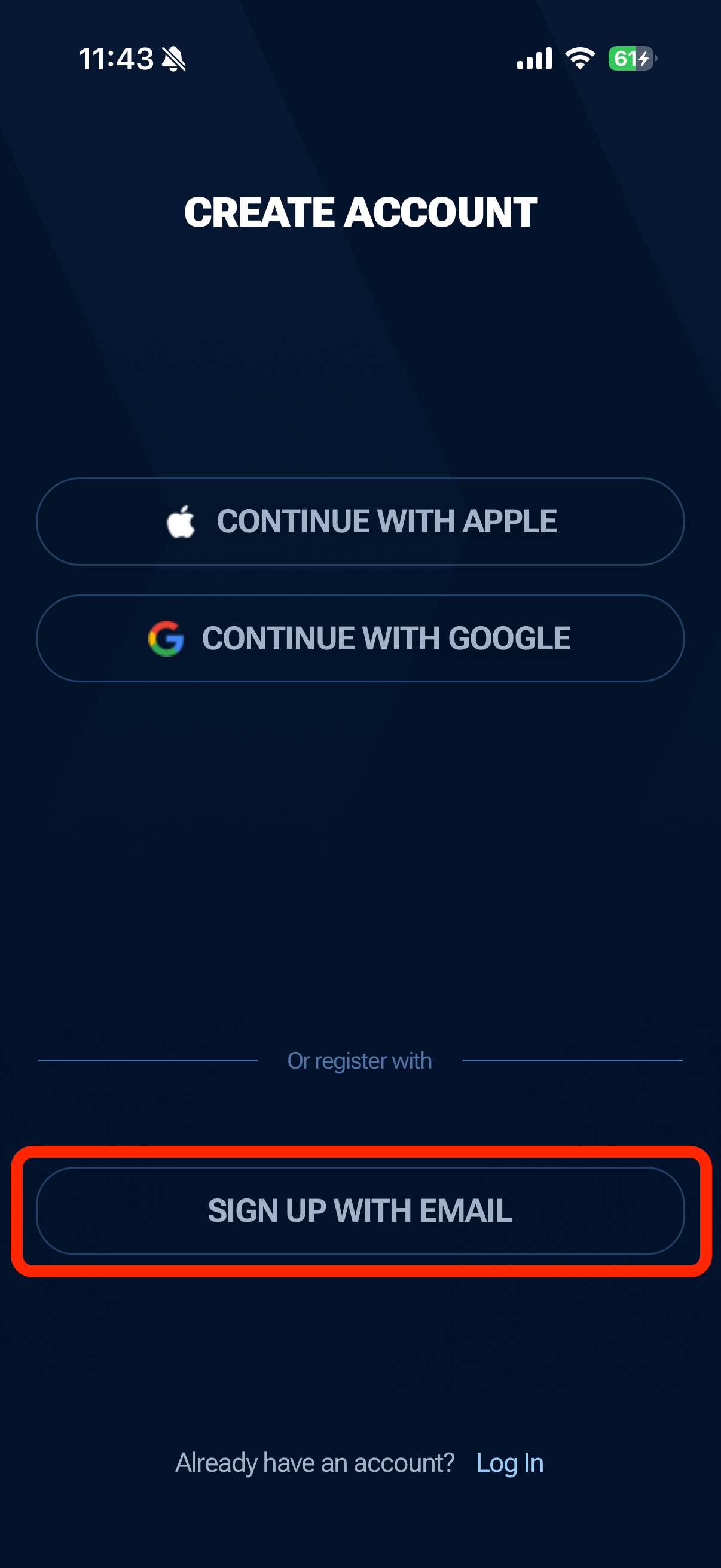
You have three options for creating your account:
Continue with Apple - sign up using your Apple ID
Continue with Google - sign up using your Google account
Sign Up with Email - create an account manually using your email address and a password
Sign Up with Apple
Tap Continue with Apple to sign up using your Apple ID. You will be prompted by your device to confirm sign-in with Apple. During this process you will have the option to:
Share your name and email with Ludex - your actual email address will be used for your account
Hide your email - Apple will generate a private relay email address instead of sharing your real one. Note that if you choose this option, password reset emails and support communications will be sent to the relay address, so make sure it is active and forwarding to your inbox.
Once confirmed, your Ludex account will be created automatically using your Apple ID credentials.
Sign Up with Google
Tap Continue with Google to sign up using your Google account. You will be prompted to select the Google account you wish to use and confirm the sign-in request. Once confirmed, your Ludex account will be created automatically using your Google account credentials.
Note that the experience may vary slightly depending on your device and whether you are already logged into your Google account.
Step 4 - Sign Up with Email (Manual)
If you choose to sign up manually, tap Sign Up with Email and fill in the following:
Your email address
A password that meets the requirements below
Then tap Create Account.
Password Requirements
Your password must meet the following requirements:
At least 8 characters
At least one uppercase letter (A-Z)
At least one lowercase letter (a-z)
At least one number (0-9)
At least one special character (such as ! % @ or #)
Step 5 - Choose a Subscription Plan
After creating your account you will be presented with Ludex subscription options. If you would like to explore Ludex for free first, tap the X in the top right corner to proceed with a free account. You can always upgrade to a paid plan at any time from within the app.
To learn more about our subscription plans, visit: How to Manage Your Ludex Subscription.
Need Help?
If you have any trouble creating your account, please contact our support team at support@ludex.com and we will be happy to assist.
Was this helpful?
Still need help? Ask the team