What To Do If Your Card Is Not Found
Written By Ross Henke
Last updated 5 months ago
Ludex is the most accurate card scanning app available - but like any database-driven platform, there will occasionally be gaps. If your card is not returned after a scan, don't worry. There are a few simple steps you can take to find and add your card manually.
Why Wasn't My Card Found?
There are two common reasons a scan may not return a result:
Scan quality - poor lighting, glare, an awkward angle, or other cards visible in the frame can prevent the scanner from identifying your card. See our Scanning Best Practices article for tips on getting a clean scan.
Card not yet in our database - Ludex may have the card in our checklist but the identifiable image has not yet been added. In this case the scanner will not return a match, but you can still add the card manually using the search tool.
How to Add Your Card Manually
If your scan does not return a result, you can still search for and add your card directly to your collection.
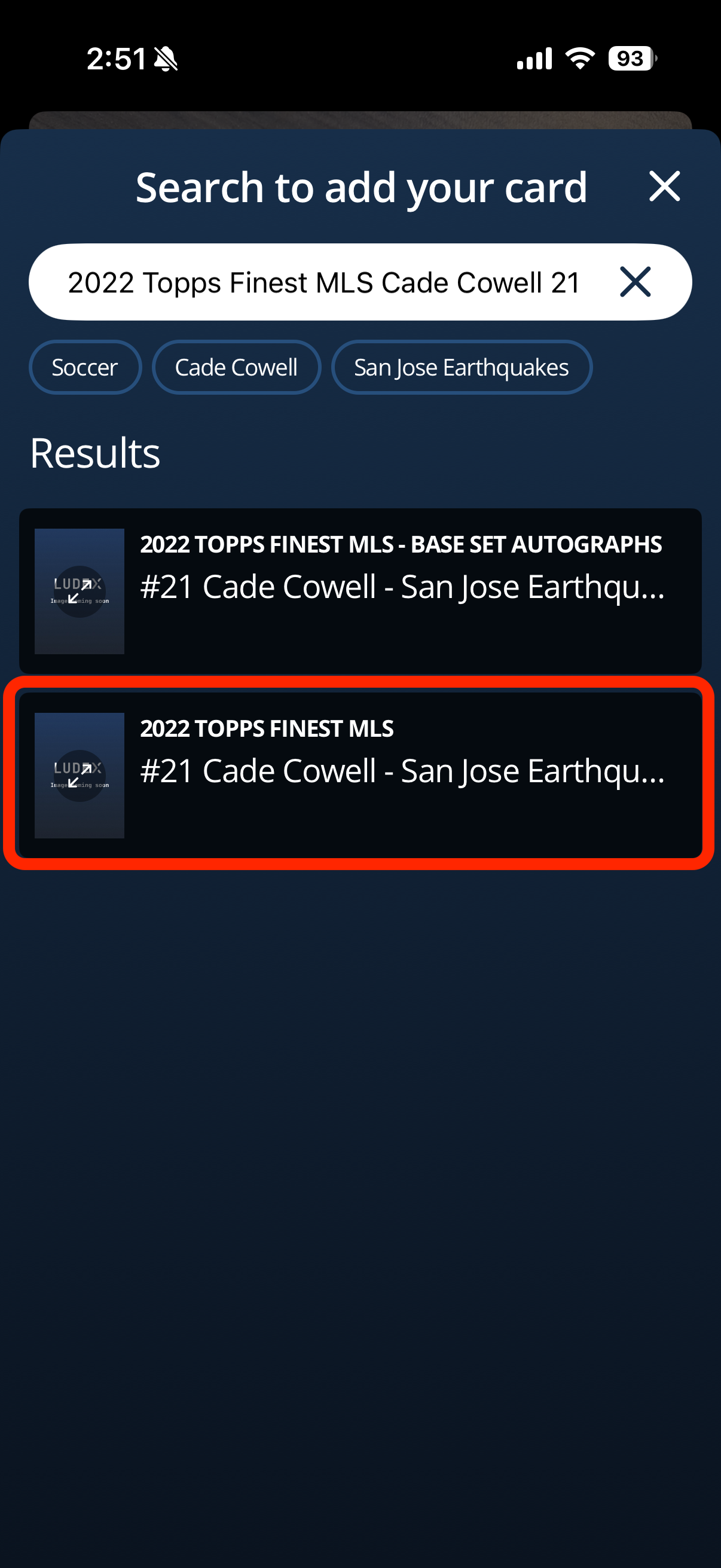
When the scan returns no result, tap Search to Add Your Card
Type your card details into the search bar. For best results use this format:
Year - Series Name - Player Name - Card Number
For example: 2022 Topps Finest MLS Cade Cowell 21
Review the search results and select the card that best matches yours
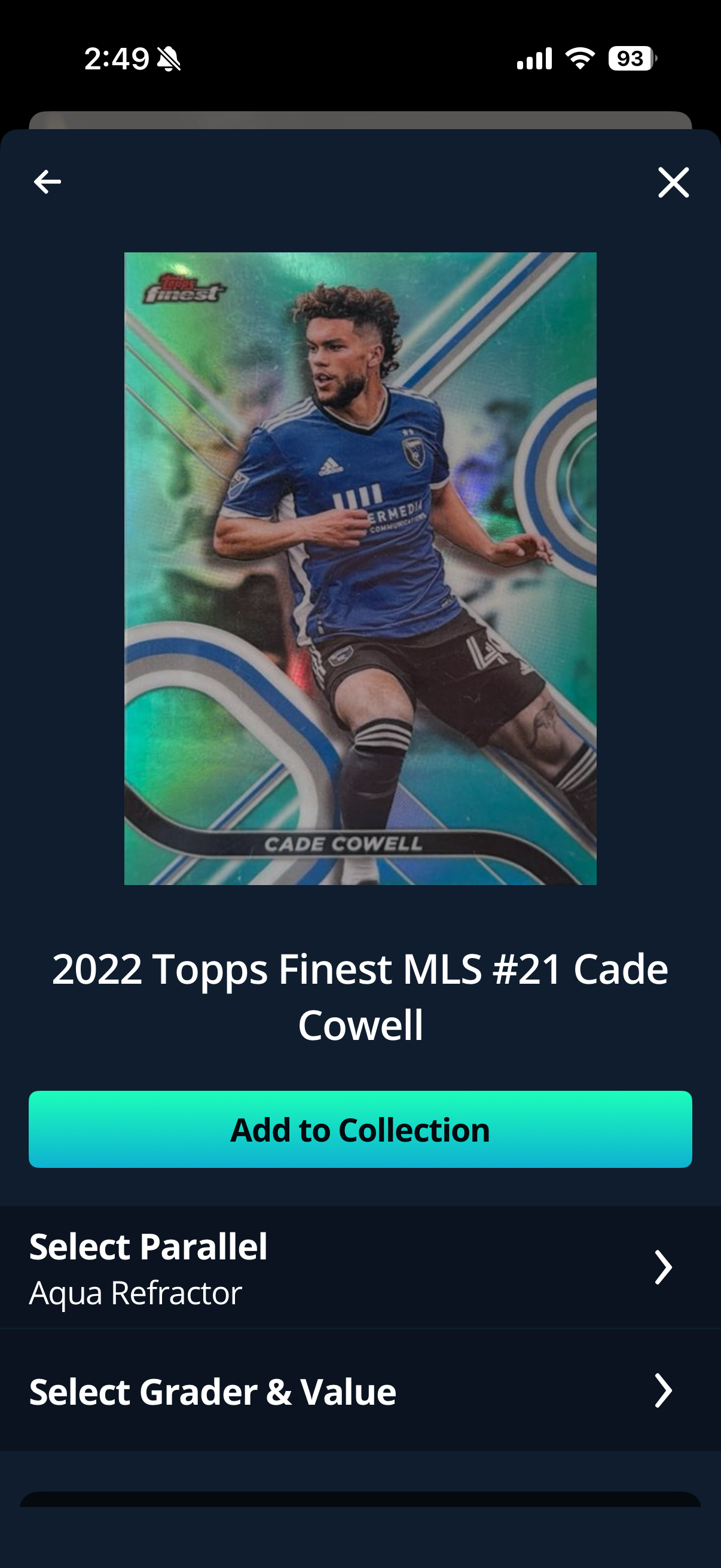
Once you have selected the correct card, confirm the following details:
Parallel - select the correct parallel variant if applicable
Grader & Grade Value - select the grading company and grade if the card has been professionally graded
Tap Add to Collection to save the card
Still Can't Find Your Card?
If you have searched and are still unable to locate your card, our Customer Experience team would love to help. Please reach out to us at support@ludex.com with the following information and we will look into it further:
Card name, year, series, and card number
Clear front and back images of the card
Related Articles
Need Help?
If you have any questions or need assistance adding a card to your collection, please contact our support team at support@ludex.com and we will be happy to assist.
Was this helpful?
Still need help? Ask the team